
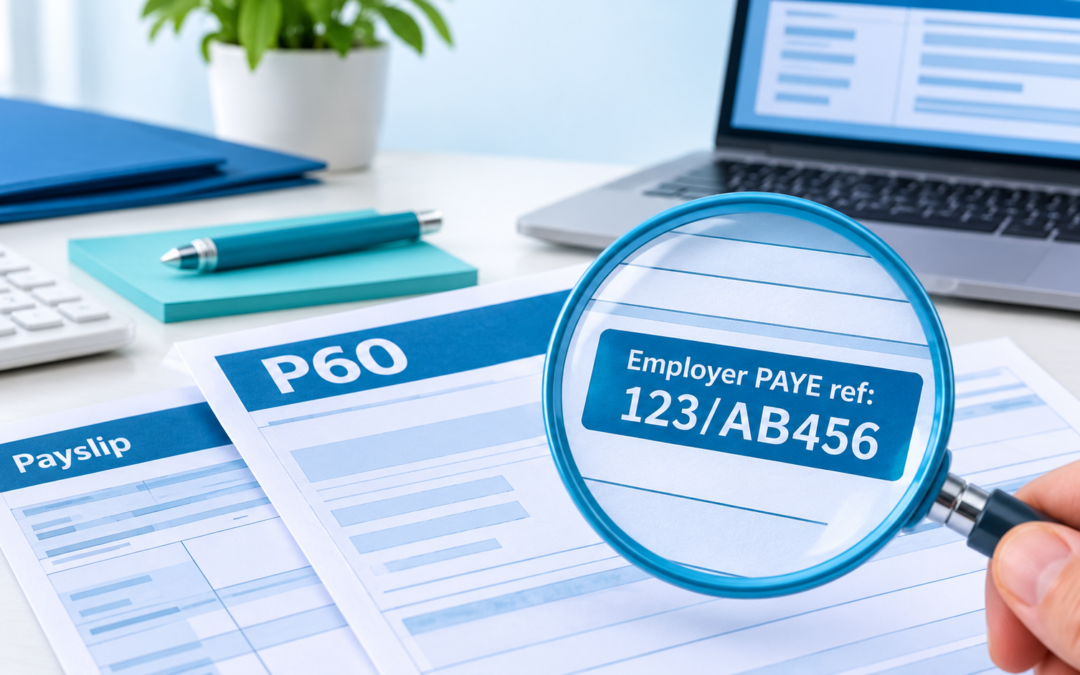
A form asks for your PAYE reference number and you’ve no idea where to look. Or you’ve just taken on your first employee and HMRC has sent a letter full of codes. This guide explains what a PAYE reference number is, where employees and employers can find it, and how it differs from the other numbers HMRC uses.
- The PAYE reference identifies the employer’s payroll scheme, not the individual worker.
- It is not the same as the 13-character Accounts Office reference, which is used to pay HMRC.
- Employees need it for some HMRC claims, including form P87 for work expenses.
- Every employer you work for has its own reference.
- New employers receive both references in a letter from HMRC after registering.
What is a PAYE reference number?
A PAYE reference number is HMRC’s identifier for an employer’s Pay As You Earn scheme. HMRC issues it when a business registers as an employer, and it links the payroll reports and payments that business makes to the right record.
Every payroll submission an employer sends, such as the Full Payment Submission each payday, carries this reference. Because it belongs to the employer, all staff on the same payroll share the same PAYE reference number.
What it looks like
HMRC’s own service design guidance describes it as a three-digit tax office number, a forward slash, then a tax office employer reference made of letters and numbers.
Other names for the same number
You may see the employer PAYE reference called any of the following. They all mean the same thing:
- employer PAYE reference or employers PAYE ref;
- Employer Reference Number (ERN), a term insurers often use;
- tax office reference number, the label on many payslips and P60s;
- employer ID number, on some application forms.
PAYE reference vs other HMRC numbers
Several HMRC numbers look alike, and mixing them up is one of the most common payroll errors. This table sets them side by side.
| Number | Format | What it’s for |
|---|---|---|
| Employer PAYE reference | 123/AB456 | Identifies the employer’s payroll scheme |
| Accounts Office reference | 13 characters, e.g. 123PX00123456 | Paying PAYE and National Insurance to HMRC |
| PAYE payment reference | Accounts Office reference + 4 digits | Early or late payments for a specific period |
| Company UTR | 10 digits | Corporation Tax |
| Tax code | e.g. 1257L | How much tax-free pay an employee gets |
| Payroll or employee number | Set by the employer | The employer’s internal staff ID |
Formats from HMRC’s design guidance for the Accounts Office reference and Unique Taxpayer Reference. For personal numbers such as your National Insurance number, see Eternity Accountants’ guide to UK tax reference numbers.
Where to find your PAYE reference as an employee
As an employee, you don’t have a PAYE reference number of your own. You need your employer’s one, and there are four places to look for it.
On your P60 or P45
Your employer gives you a P60 after each tax year you work for them, and a P45 when you leave. Both normally show the PAYE reference number in the employer details box. If you’re not sure which form is which, our guide to the P60 and P45 explains the difference.
The tax office reference number on your payslip
Many payslips print the code as “tax office reference” or “employer PAYE ref”. It isn’t a legal requirement, though, so some employers leave it off, as the Low Incomes Tax Reform Group points out.
In your personal tax account
Sign in to your HMRC personal tax account, choose the Pay As You Earn tile, and open your PAYE Income Tax history. LITRG describes this as probably the easiest place to find it. Our guide on setting up your HMRC personal tax account covers the sign-in.
Ask your employer
If none of the above works, ask your payroll or HR team. Giving out a PAYE reference number is routine for them, and they can confirm it in seconds.
Where employers find their employer PAYE reference
If you run the payroll, your PAYE reference number will be in the paperwork HMRC sent when you registered, and in the systems you use every payday.
HMRC’s registration letter and online account
After you register, HMRC writes to you with your PAYE and Accounts Office references, as explained on GOV.UK’s register as an employer page. LITRG notes that this letter, headed “New employer registration and reference numbers”, is the only notification you’ll receive, so keep it safe. Once you’ve enrolled for PAYE Online, both references also show in your HMRC business tax account.
Payroll software and other documents
- Payroll software: the employer settings screen stores your employer PAYE reference and Accounts Office reference.
- Employers’ liability insurance: insurers usually ask for your ERN, so it may appear on your policy schedule.
- Year-end forms: any P60 or P45 you’ve issued shows your PAYE reference number.
- Your accountant: if someone else runs your payroll, they will hold it on file.
Accounts Office reference number and paying HMRC
Your PAYE reference number tells HMRC who you are. Your Accounts Office reference tells HMRC which account a payment belongs to. Use the wrong one when paying, and the money can end up in the wrong place.
What the Accounts Office reference looks like
It is 13 characters long: three numbers, the letter P, another letter, then either eight numbers or seven numbers and an X. HMRC gives 123PX00123456 and 123PX0012345X as examples.
Building the payment reference
For an early or late payment, GOV.UK’s guide to PAYE payment reference numbers says to add four digits to the end of the Accounts Office reference. The first two are the last two digits of the year the tax year ends. The second two are the tax month you’re paying for, counting 6 April to 5 May as month 01.
• The 2026/27 tax year ends in 2027, so the year digits are 27.
• 6 June to 5 July is the third tax month, so the month digits are 03.
• Her payment reference is 123PX001234562703.
If she pays through HMRC’s online service, it works out the extra digits for her. Quarterly payers use the number of the month the quarter ends on instead.
How new employers get a PAYE reference
You get a PAYE reference number by registering as an employer with HMRC. You can do this by enrolling for PAYE in your online account or by phone. HMRC then posts your references.
When you have to register
According to LITRG, you must register and run PAYE if any employee:
- is paid at or above the threshold, which has been £96 a week (£5,000 a year) since 6 April 2025;
- already has another job;
- receives a state, company or occupational pension; or
- receives employee benefits.
The £96 figure matches the employer National Insurance secondary threshold for 2026/27 on GOV.UK’s rates and thresholds for employers. Company directors on a salary usually need a PAYE scheme too, even with no other staff.
How long it takes
You can’t register more than two months before you start paying people, and LITRG suggests allowing a few weeks for HMRC to process it. Separately, the activation code for PAYE Online arrives within 10 working days. Use GOV.UK’s tool to check when to expect HMRC’s letter, and register well before your first payday.
What to do if you’ve lost your PAYE reference
Work through these steps in order. Most people find the number within a few minutes.
- Employees: check your latest P60 or P45, then your payslips, then your personal tax account.
- Employers: look in your HMRC business tax account and your payroll software settings.
- Search your post and email for HMRC’s registration letter or your insurance schedule.
- Ask your employer, payroll provider or accountant.
- If you still can’t find it, contact HMRC’s employer helpline.
Common mistakes with PAYE references
| Mistake | What can happen | How to avoid it |
|---|---|---|
| Paying HMRC with the PAYE reference instead of the Accounts Office reference | Payment delayed or misallocated | Always pay using the 13-character reference |
| Using the calendar year in the payment digits | Payment put against the wrong period | Use the year the tax year ends |
| Confusing it with a tax code or payroll number | Forms rejected, such as P87 claims | Look for the “123/” format |
| Throwing away HMRC’s registration letter | Delays setting up payroll or insurance | Scan it and store it with your company records |
| Registering too late | No reference ready for your first payday | Register up to two months before paying staff |
PAYE reference number FAQs
Is my PAYE reference the same as my payroll number?
No. Your payroll or employee number is an internal ID your employer gives you. The PAYE reference is HMRC’s code for the employer and is shared by everyone on the same payroll.
Is a PAYE reference the same as a tax code?
No. A tax code, such as 1257L, tells your employer how much tax-free pay you get. The PAYE reference identifies the employer’s scheme.
I have two jobs. How many PAYE references do I need?
One for each employer. Every employer has its own reference, so list each one when a form asks for it.
Does a PAYE reference number ever change?
It usually stays the same for as long as the employer runs the same PAYE scheme. A new scheme, for example after a business changes its legal structure, will have a new reference.
Do sole traders need a PAYE reference?
Only if they employ someone who meets the registration rules. A sole trader with no staff pays their own tax through Self Assessment instead.
Do I need one if I only use freelancers?
Not usually, as genuinely self-employed contractors aren’t on your payroll. Check their employment status first, because getting it wrong can create PAYE liabilities.
Where is the tax office reference number on a payslip?
It is often near the top, next to your tax code or National Insurance number, labelled “tax office ref” or “employer PAYE ref”. Not every payslip includes it.
Final Verdict: Your PAYE Reference Number in 2026/27
Your PAYE reference number identifies your employer’s payroll scheme and follows the 123/AB456 pattern. Employees can find it on a P60, P45, payslip or in their personal tax account. Employers find it on HMRC’s registration letter and in payroll software, and should pay HMRC using the separate 13-character Accounts Office reference.
- Find your PAYE reference using the steps above and note it somewhere safe.
- Employers: save the Accounts Office reference as your HMRC payee, separately labelled.
- Taking on your first employee? Call 0116 4030595 or email info@majoraccountancy.com.
Why trust this guide
- Written by Shahinur Chowdhury, a UK accountant at Major Accountancy.
- Reference formats taken from HMRC’s own service design guidance, and rules checked against GOV.UK on 31 October 2026.
- Covers both employees and employers, with a worked 2026/27 payment example.
- General information only, not personal tax advice.
- HMRC design system: Employer PAYE reference
- HMRC design system: Accounts Office reference
- HMRC design system: Unique Taxpayer Reference
- GOV.UK: Register as an employer
- GOV.UK: Pay employers’ PAYE, reference numbers
- GOV.UK: Rates and thresholds for employers 2026 to 2027
- LITRG: How to find your employer PAYE reference
- LITRG: Form P87
- LITRG: When you need to operate PAYE
- LITRG: Registering as an employer